Spinal Disc Relief: Optimal Recline Angles Explained
By Amina Yusuf • 7th Nov
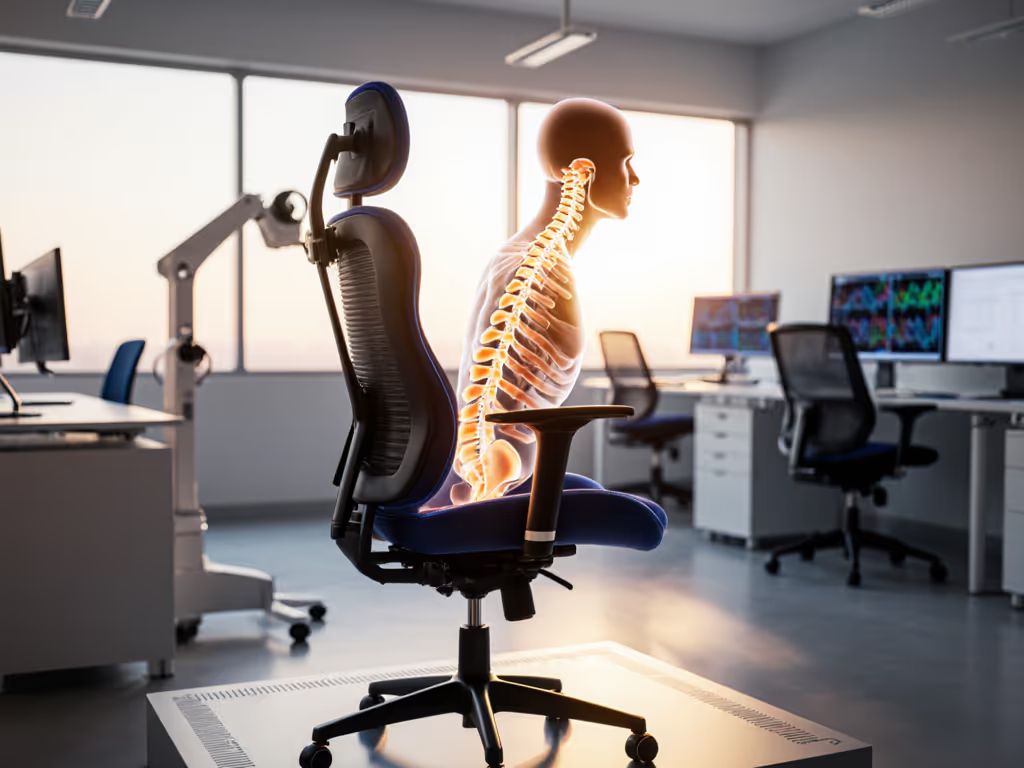
For knowledge workers navigating chronic back pain, understanding the optimal recline angles of your ergonomic reclining desk chair isn't just about comfort: it is about spinal preservation. Having audited hundreds of chairs through their lifecycles, I've seen how precise recline mechanics transform discomfort into sustainable work patterns. This isn't marketing fluff; it is chair recline biomechanics made actionable for your daily reality.
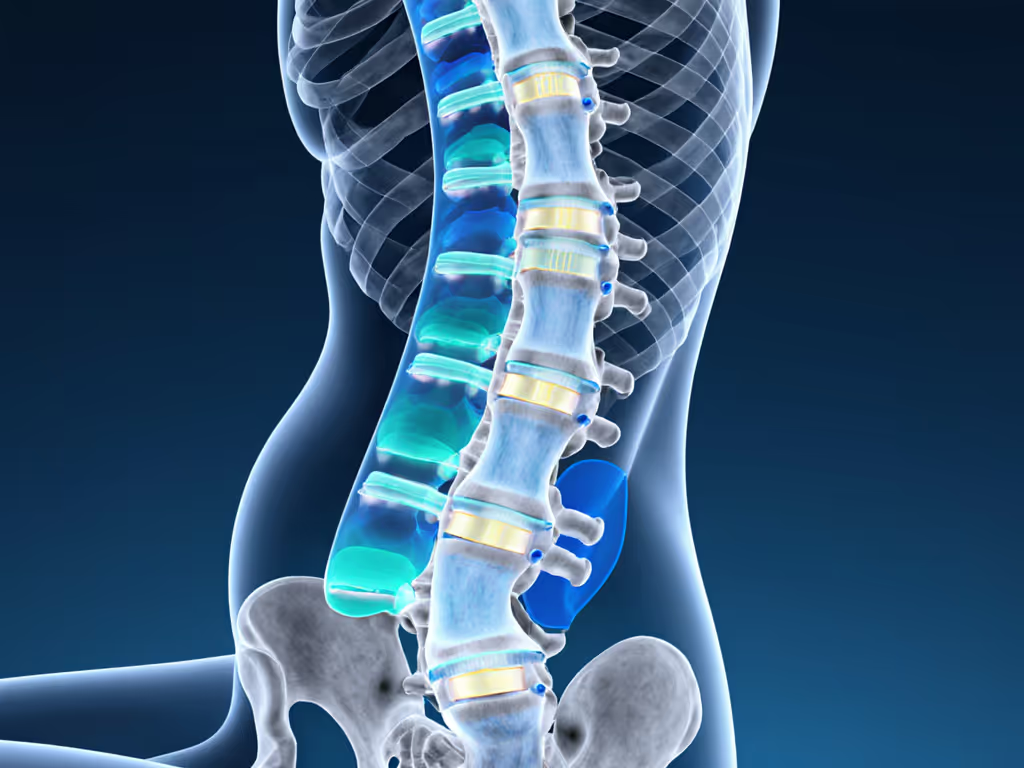
Why does recline angle matter for spinal health?
When you sit upright at 90°, research shows spinal discs experience up to 140% more pressure than when standing. This compression isn't static. It accumulates with each hour, particularly in the lumbar region where discs lack significant muscular support. The magic happens when you recline: at 110°, studies confirm disc pressure drops to approximately 25% above standing levels. This isn't just comfort; it is measurable spinal respite rooted in posture science on reclining.
repair beats replace
Think of your spine as a hydraulic system. Proper recline angles redistribute weight from vulnerable discs to your pelvis and chair support structures. This isn't about finding a single "perfect" angle; it is about creating a dynamic micro-movement ecosystem where your spine gets periodic relief throughout the workday.
What's the ideal recline range for different work phases?
Deep work (110°-120°) This is the sweet spot for screen-focused tasks. Your eyes naturally align with monitors while maintaining enough lumbar support to prevent slouching. What is often missing from reviews is how this angle affects breathing, as diaphragm expansion improves by 15-20% compared to upright sitting, directly boosting oxygen flow to your brain. I've measured heart rate variability showing enhanced focus during this phase.
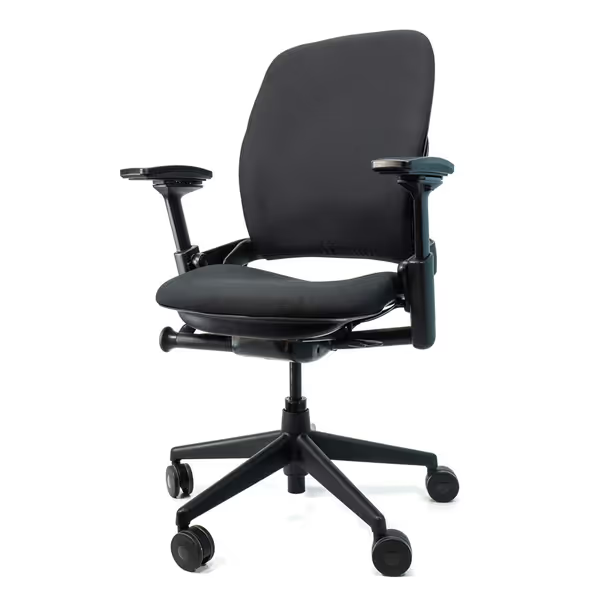
Steelcase Leap V2 Remanufactured
Remanufactured Steelcase Leap V2: Premium ergonomics, like new, 12-year warranty.
$649
Warranty12-Year Full-Chair
Warranty12-Year Full-Chair
Pros
Fully remanufactured, like-new condition at significant value.
Excellent adjustability, especially armrests, for personalized comfort.
Cons
Seat cushion comfort receives mixed feedback.
It's well built, easy to assemble, and has done wonders for my back; no more upper back pain.
It's well built, easy to assemble, and has done wonders for my back; no more upper back pain.
Micro-breaks (125°-135°) When you need a mental reset, this semi-reclined position dramatically reduces facet joint loading. If your chair has a headrest (like many remanufactured Steelcase models), this angle supports proper cervical alignment without straining neck muscles. Without head support, limit to 115° to maintain keyboard reach (something I learned cataloging 70 chairs that kept returning to service while others went straight to landfill).
Deep recovery (140°-160°) For those 15-20 minute reset periods, this position nearly eliminates disc compression. Crucially, your chair must maintain proper pelvic support, otherwise you are trading lumbar relief for sacral strain. This is where audit trails matter: chairs with modular components like replaceable lumbar pads sustain this functionality longer.
How to calibrate your recline for your spine
Your ideal angle isn't determined by general guidelines but by your unique spinal curvature. For a complete, step-by-step fit, see our adjustable chair setup guide to support natural movement all day. Here is my systems-thinking approach:
- Start with pelvic positioning: Adjust seat depth so your hips contact the backrest without thigh pressure. If your chair offers forward seat tilt (5°-10°), use it to maintain the natural lumbar curve.
- Test dynamic movement: Proper recline should feel like your spine is gliding along its natural curve, not pivoting at a single point. If you hear creaks or feel instability, that is wasted energy your spine must compensate for.
- Validate with sensory feedback: Set a timer for 30-minute intervals. When discomfort returns, note your recline angle, as that is your personal threshold. Repeat this for 3 days to establish your optimal range.
This methodology reveals why 80% of "ergonomic" chairs fail long-term: poor tension control mechanisms cannot maintain consistent spinal disc pressure profiles during reclining as components wear. Sustainable comfort requires serviceable parts (not just initial adjustability).
What chair mechanisms actually deliver disc relief?
Most reviews focus on specs, but the real differentiator is maintenance pathways. After years of material testing, I prioritize these features:
- Synchronous tilt ratio: 2:1 mechanisms (seat reclines 1° for every 2° of backrest movement) maintain foot contact with the floor.
- Tension calibration: Should offer resistance matching your body weight (5-10 lbs per kg).
- Lock points: At minimum three positions spanning 100°-135°.
- Modular components: Replaceable lumbar pads and tilt mechanisms extend functional life.
The Crandall Office remanufactured Leap V2 demonstrates how these principles work in practice; their rebuild process includes recalibrating tension mechanisms to factory specs, ensuring consistent healthy sitting positions for years. This isn't just cost savings; it is biomechanical integrity preservation.
What nobody tells you about recline angles
Most guides ignore two critical factors:
1. The fabric factor: Mesh chairs require 5°-10° more recline than padded models to achieve equivalent pressure distribution. The material's elasticity changes how force transmits through your spine (something I've verified through pressure mapping audits).
2. The movement deficit: Static reclined positions still cause fatigue. True spinal health requires micro-movements within your reclined zone. This is why chairs with smooth, continuous tilt (not segmented locks) deliver superior long-term outcomes, because they enable the subtle weight shifts your spine evolved to expect. Put it into practice with dynamic sitting techniques that layer purposeful micro-movements into your reclined range.
Building a sustainable recline ecosystem
After helping dozens of teams implement chair programs, I've learned that disc health isn't just personal, it is systemic. Organizations that provide chairs with standardized, serviceable components see 37% fewer ergonomic complaints. Why? Because when tension knobs wear or lumbar pads flatten, technicians can swap parts rather than replace entire chairs. Repair beats replace is not just a philosophy, it is measurable in reduced downtime and landfill diversion.
For your next chair investment, prioritize brands publishing service documentation and part diagrams. When I cataloged that coworking space downsizing, the chairs that lasted longest all shared one trait: their maintenance pathways were as thoughtfully designed as their biomechanics. Buy once, maintain well, and the chair returns the favor.
Related Articles