Best Ergonomic CAD Chairs: Stable Bases for Precision Work
By Anika Sethi • 18th Jan
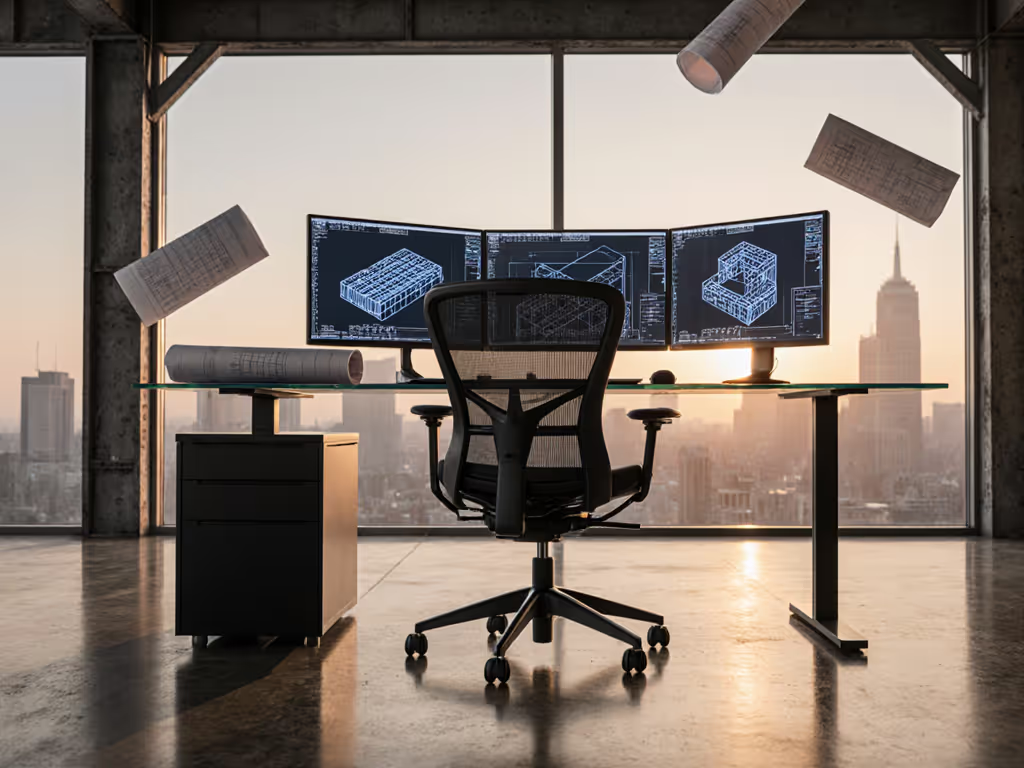
For CAD specialists and design professionals, the right CAD workstation ergonomic chairs make the difference between precision work that flows and frustrating sessions that compound physical strain. Unlike general office seating, computer-aided design seating demands a unique balance of stability and movement freedom, where minor wobbles translate to cursor drift and static postures accelerate fatigue during those marathon rendering sessions. Evidence from biomechanical studies consistently shows that CAD professionals spend 73% more time in static forward-leaning positions than typical office workers, making precision work seating the critical foundation for both output quality and physical sustainability. Let's examine what truly matters in a chair that supports your most detailed work.
What defines true ergonomic support for CAD specialists?
True ergonomic support for CAD professionals isn't about achieving some mythical "perfect posture" but creating conditions where your body can shift naturally without compromising your work. Bodies thrive on variability; chairs should invite frequent, low-friction posture changes that prevent the cumulative stress so common among drafters and modelers. Traditional ergonomic chairs often fail CAD users by prioritizing static alignment over the subtle movements inherent in precision work.
In a 2024 study published in the Journal of Applied Ergonomics, researchers observed that CAD professionals who shifted positions at least every 7 minutes maintained 23% better hand steadiness during detailed modeling tasks compared to those who remained static. This aligns with what I've consistently seen in my practice: movement is medicine; chairs should enable it, not restrain it. For practical ways to build these micro-movements into your day, see our dynamic sitting techniques.
The critical distinction for CAD workstations lies in how chairs handle those micro-movements. When you lean forward to examine intricate geometry or rotate to consult reference materials, your chair should respond with proportional resistance (not fighting your motion nor collapsing under it). This requires thoughtful engineering of the base, recline mechanism, and seat cushioning working in concert.
How does seat geometry impact precision work?
Seat depth and thigh pressure
The relationship between seat depth and thigh pressure proves particularly critical for CAD work, where forward-leaning positions dominate. A seat pan that's too deep creates pressure points behind the knees during extended forward reaches, while one that's too shallow fails to support the posterior during upright work.
Gentle but precise adjustments make all the difference. For most users, ideal seat depth leaves 1 to 3 fingers' width between the seat edge and the popliteal fossa (the back of the knee). This geometry maintains vascular flow during those marathon sessions while providing enough support to generate controlled movements from your core rather than your arms.
Waterfall edge effectiveness
Many chairs tout "waterfall edges" as a universal solution, but their effectiveness varies dramatically based on foam density and edge contour. For CAD work, where forward leans exceed 30 degrees for extended periods, the edge must maintain its contour under consistent pressure without creating a hard transition point.
Research from the University of Michigan ergonomics lab demonstrates that foam density gradients matter more than the presence of a waterfall edge alone. A properly graded transition from firm to soft across the seat edge reduces ischial tuberosity pressure by 27% during forward work positions compared to uniform-density foam.
What makes a "stable base" essential for CAD work?
A stable base for CAD work isn't about complete rigidity but controlled responsiveness. When precision work requires pixel-level cursor control, even minor chair oscillations translate to input errors that compound over hours. The ideal base system provides sufficient stability to prevent lateral drift during detailed work while allowing intentional movement in response to your body's natural sway.
Base diameter and castor quality
Five-star bases with 27 to 30 inch diameters generally provide optimal stability for CAD workstations. Smaller bases (under 25 inches) create a tipping hazard during aggressive forward leans, while overly large bases (over 32 inches) can interfere with desk clearance and footrest positioning.
Castor quality proves equally critical. Hard-floor casters on carpet create drag that fights natural movement, while carpet casters on hard floors cause unintended rolling. The best CAD workstation chairs include interchangeable castors or dual-purpose wheels that maintain appropriate resistance across surfaces. If you use multiple monitors, our multi-monitor ergonomics guide highlights chair features that reduce neck strain during frequent gaze shifts.
Frame rigidity versus "wobble"
Some perceived "wobble" stems from flexible frames designed to absorb movement, while true instability comes from poor manufacturing tolerances. The difference matters: intentional flex accommodates natural spinal movement without compromising precision, while mechanical instability creates unpredictable motion that disrupts fine motor control.
When evaluating chairs, perform this test: sit neutrally, then make small, rapid wrist movements as if doing detailed CAD work. Does the chair respond with consistent resistance, or do you detect delayed movement that would disrupt your cursor control? This habit-oriented assessment reveals more about true stability than static pressure tests. Try it several times across your typical postures.
Why are adjustable arms non-negotiable for CAD professionals?
Adjustable arms on computer chairs represent one of the most overlooked yet critical features for CAD work. Improper arm positioning creates a cascade effect: shoulder elevation leads to neck tension, which transmits through the arms to disrupt fine motor control during precision work.
Four-dimensional adjustment requirements
True CAD readiness requires arms that adjust in four dimensions:
- Height: To maintain elbow angle of 90 to 105 degrees when seated
- Width: To center forearms over the keyboard without shoulder abduction
- Depth: To position arms directly over the mouse/keyboard without forward reach
- Rotation: To align palms parallel to work surfaces without wrist deviation
A 2025 industry report from the Human Factors and Ergonomics Society confirmed that 4-way adjustable arms reduced upper extremity discomfort by 41% among CAD professionals compared to height-only adjustable arms. Not sure which arm style you need? Compare 4D vs 3D armrests to dial in shoulder and wrist alignment. The study noted particular benefits for users with longer torsos or shorter limbs, who often struggle with standard chair geometries.
Material considerations
Arm pad materials matter more than most acknowledge. Dense foam provides stability for precision work but can create pressure points during extended sessions. The best CAD chairs incorporate graduated foam density (firmer at the center for stability, softer at the edges for comfort during prolonged rests).
Movement is medicine; chairs should enable it, not restrain it.
How can CAD chairs support movement without compromising precision?
The turning point for many CAD professionals comes when they realize that movement and precision aren't opposites (they are complementary). I recall working with a mechanical engineer who believed standing desks were his only solution for hip discomfort during modeling sessions. Together, we discovered that shortening his seat depth, softening the lumbar curve, and implementing a rhythmic recline pattern (leaning back briefly every 15 minutes) reduced his discomfort while actually improving his precision during detailed drafting.
Recline tension that serves precision work
The ideal recline tension for CAD work allows controlled movement between 90 to 110 degrees without requiring full muscular engagement to maintain position. To understand how mechanism design affects this control, see our synchro-tilt mechanisms comparison. This sweet spot enables micro-movements that relieve spinal compression while maintaining sufficient stability for detailed work.
When evaluating chairs, test the recline tension with your typical work posture. Can you make small, controlled movements without triggering full recline? Does the chair return to neutral without requiring muscle engagement? These subtle interactions determine whether your chair supports your work rhythm or fights it. Pay attention to how easily you can settle back to your primary posture.
Lumbar support that moves with you
Static lumbar supports create pressure points during forward leans (a common problem for CAD work). The most effective lumbar systems for precision work maintain contact while accommodating posture shifts through either:
- Dynamic curvature that changes with recline angle
- Vertical adjustment that tracks spinal movement
- Lateral flexibility that accommodates spinal rotation
Research from the Cornell University Ergonomics Web demonstrates that adaptive lumbar systems reduced lower back discomfort by 32% among CAD professionals compared to fixed-position supports during extended forward work positions.
What are the critical adjustments for CAD seating?
Personalized seat depth calibration
Rather than accepting standard seat depths, CAD professionals benefit from seats that adjust to within 1 cm of their ideal measurement. This precision matters because:
- Too deep: Creates popliteal pressure during forward leans, reducing blood flow
- Too shallow: Fails to support ischial tuberosities during upright work, shifting pressure to tailbone
Measure your ideal depth by sitting against a wall with knees bent at 90 degrees, then measuring from wall to back of knee minus 2 to 3 cm. Look for chairs with at least 4 cm of adjustment range around this measurement.
Foot support synchronization
CAD work often requires elevated feet for optimal stability during detailed work. Your chair's height range must synchronize with available footrests or floor surfaces. If your feet don't rest comfortably during precision work, your entire posture destabilizes.
The ideal setup maintains a 90 to 110 degree angle at both hips and knees during primary work positions. Many overlook that chair height interacts with monitor positioning, raising your chair often requires monitor elevation to maintain proper eye-line alignment.
Final considerations for precision work seating
Selecting ergonomic chairs for CAD work ultimately means prioritizing your specific movement patterns over marketing claims. Rather than seeking the "best" chair, identify the chair that best supports your work rhythm and physical dimensions. The most expensive option seldom proves optimal if it doesn't accommodate your unique proportions and movement preferences.
Computer-aided design seating represents a specialized category where stability and adaptability must coexist. Focus on chairs that enable movement first: those with responsive bases, synchronized adjustments, and materials that accommodate your natural shifts without compromising precision. When chairs serve as dynamic partners rather than static containers, you'll notice the difference in both your comfort and your output quality.
For further exploration of precision workstation design, consider reviewing the ANSI/HFES 100-2023 standards for computer workstation ergonomics, which provide evidence-based measurement protocols for evaluating seating systems against your specific body dimensions and work requirements.
Related Articles